Vikas Editor: AI Photo Editor for the Viral Vikas Edit Look
Upload a photo, pick a Vikas edit template or type your own prompt, and get a cinematic HD edit in under a minute. Your face stays the same, the scene changes.
1. Upload your photo
0/4 · JPG, PNG, WebP- Model
- GPT Image 2.5
- Aspect ratio
- Auto
- Output
- HD image
- Cost
- 2 credits
Sign up free and get 1 image on us.
Ideas
Trending Vikas edit ideas
Hover a card to read the prompt, then apply it to your photo in one click.
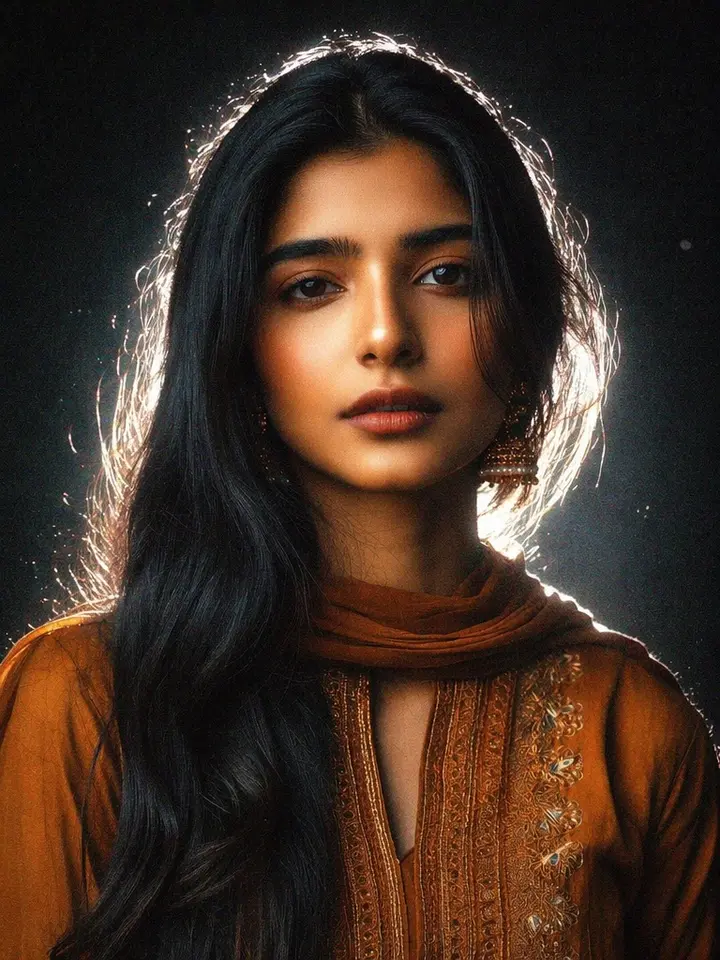
Apply a viral Instagram Lofi Dusk filter to the uploaded photo. Preserve identity and natural expression. Use a dark background fading into black, direct front flash lighting, powerful white backlight, glowing body outline, soft bloom diffusion, gentle halation, peach skin tones,…
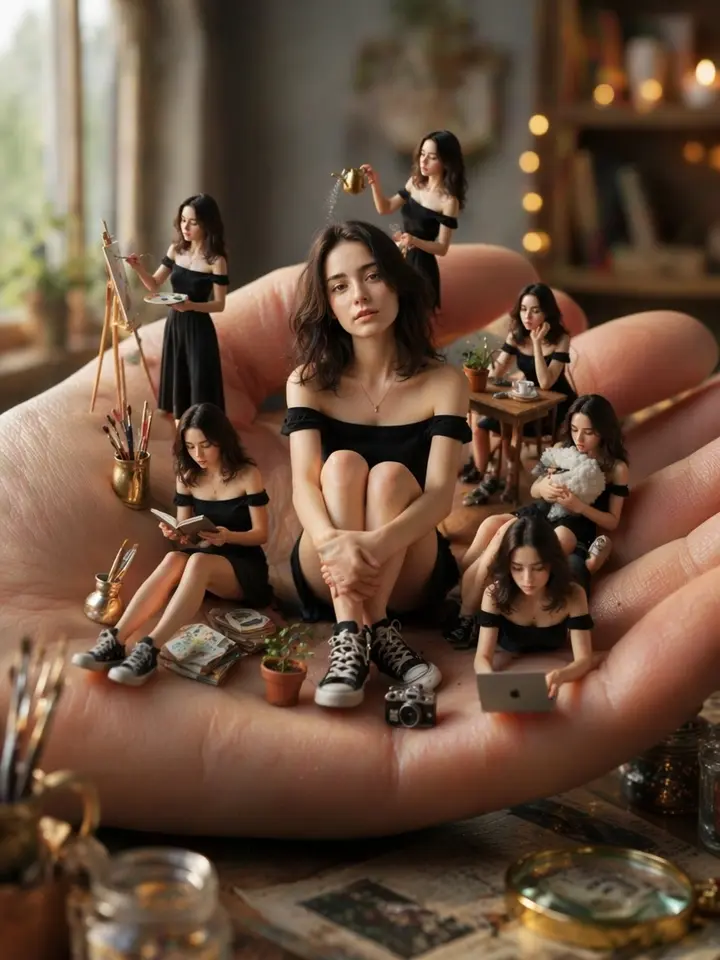
Create a surreal miniature scene with one main tiny girl sitting on a palm surrounded by multiple smaller clone versions of herself doing different activities, cinematic lighting, ultra realistic miniature world, dollhouse vibe, miniature ai photo editing prompts free style, high…
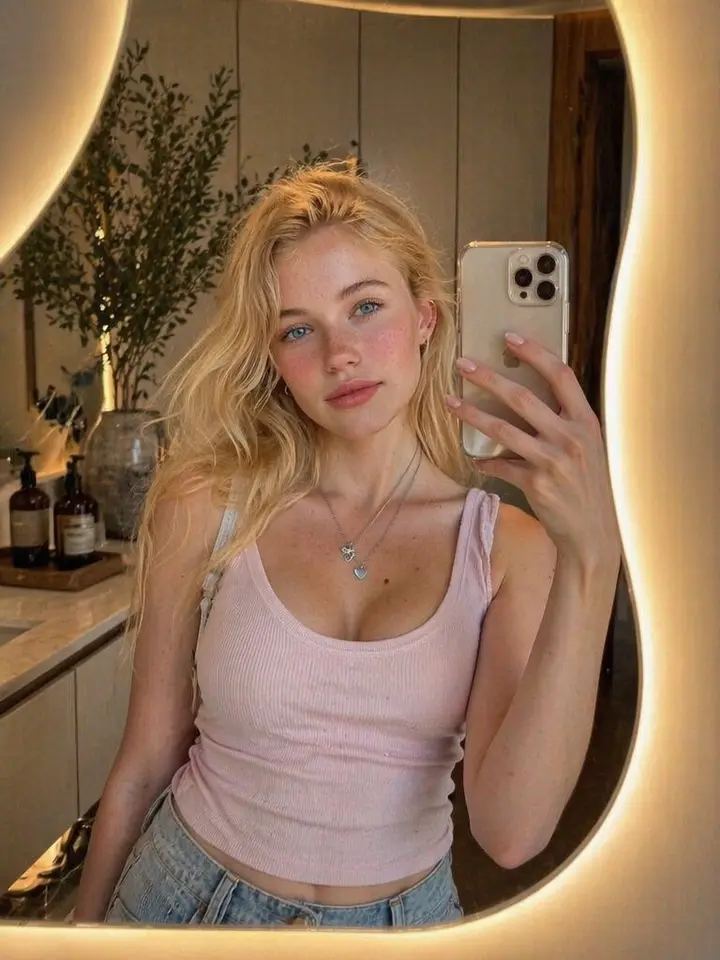
Beautiful young woman taking a mirror selfie in a modern minimalist dressing room. Standing in front of an artistic asymmetrical wavy mirror with warm LED backlighting creating a soft golden glow around the edges. Cozy luxury interior, cream-colored walls, modern cabinetry, decor…
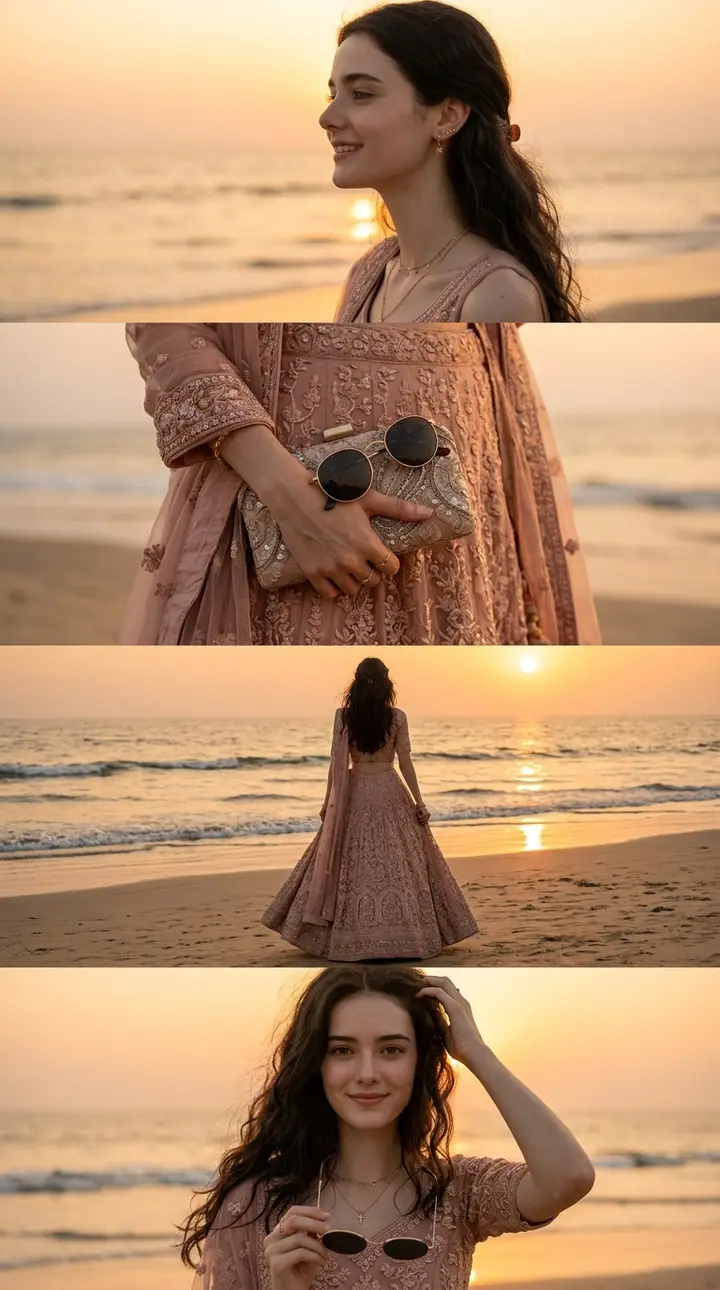
A photographic, four-panel vertical collage, capturing a series of cinematic beach sunset moments. The subject from the uploaded reference image is a woman with long, dark, wavy hair, wearing a sophisticated, embroidered blush-pink dress. All panels share the same soft, warm, gol…
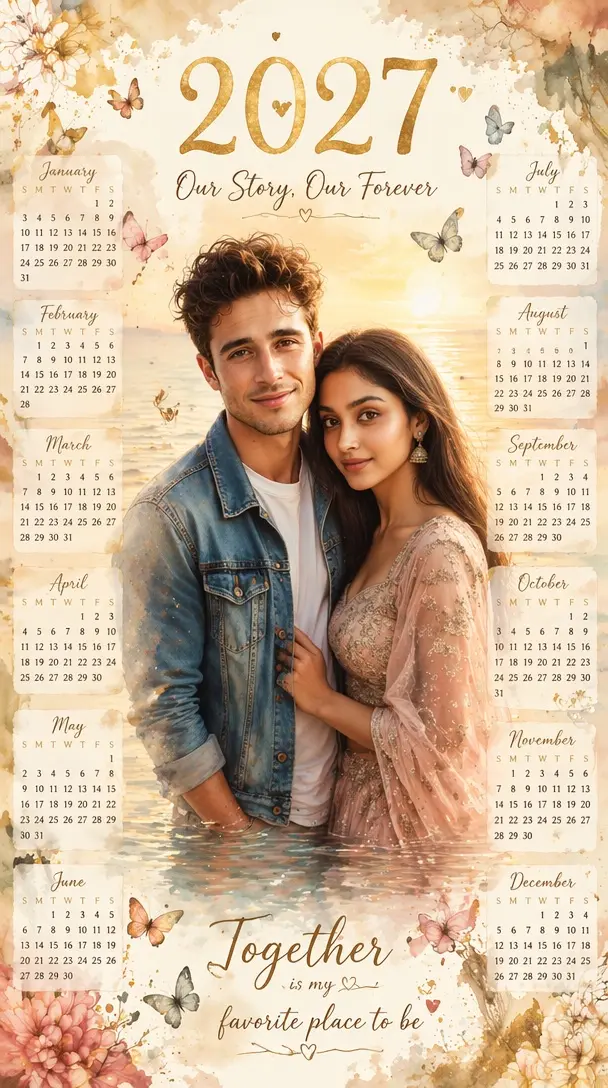
Transform the uploaded couple photo into a luxury watercolor calendar poster. Place the couple as a large central portrait standing in shallow water during golden sunset. Surround them with all twelve monthly calendar blocks arranged symmetrically around the edges. Decorate with…
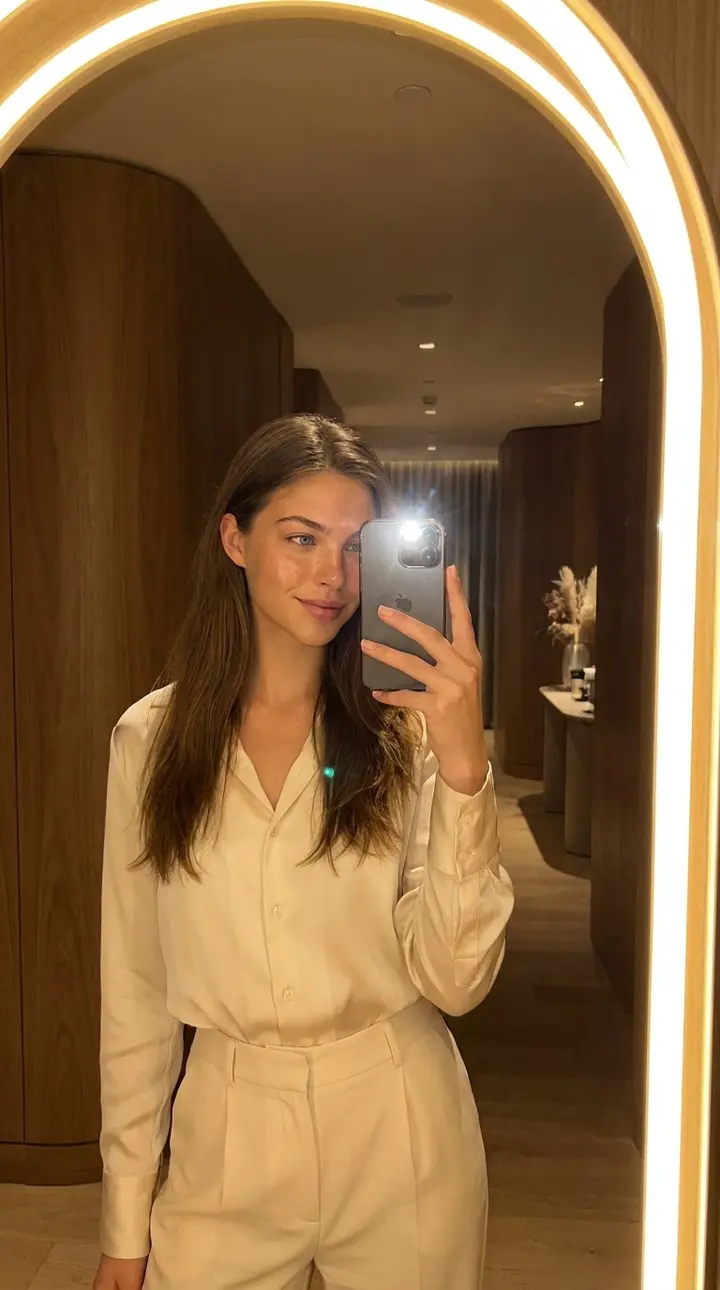
Create a realistic viral glow mirror selfie using the reference person. Preserve the person’s facial identity, hairstyle, body proportions, and natural expression. Show them standing in front of a large glowing oval mirror or arched LED mirror, holding a smartphone naturally for…
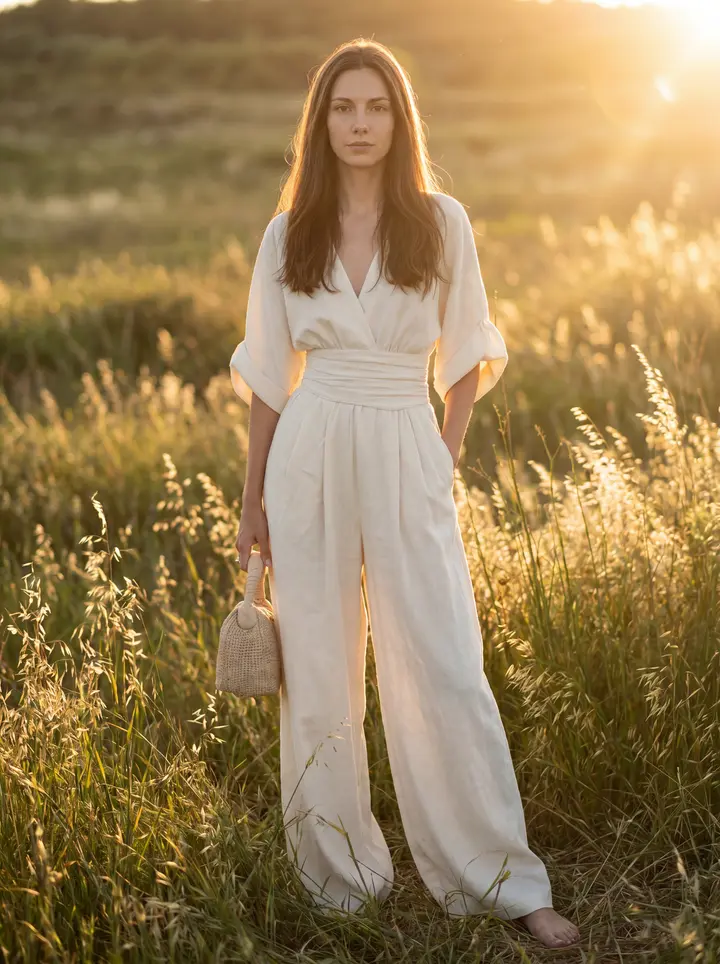
IDENTITY LOCK: Face, skin tone, body, hair from Image 1. No substitutions. Model height: 177 cm — tall, lean proportions, long legs. Preserve full body ratio. POSE LOCK: Exact pose, crop, framing, camera angle, subject placement from Image 4. FRAME LOCK: 85mm lens, full-frame, sh…
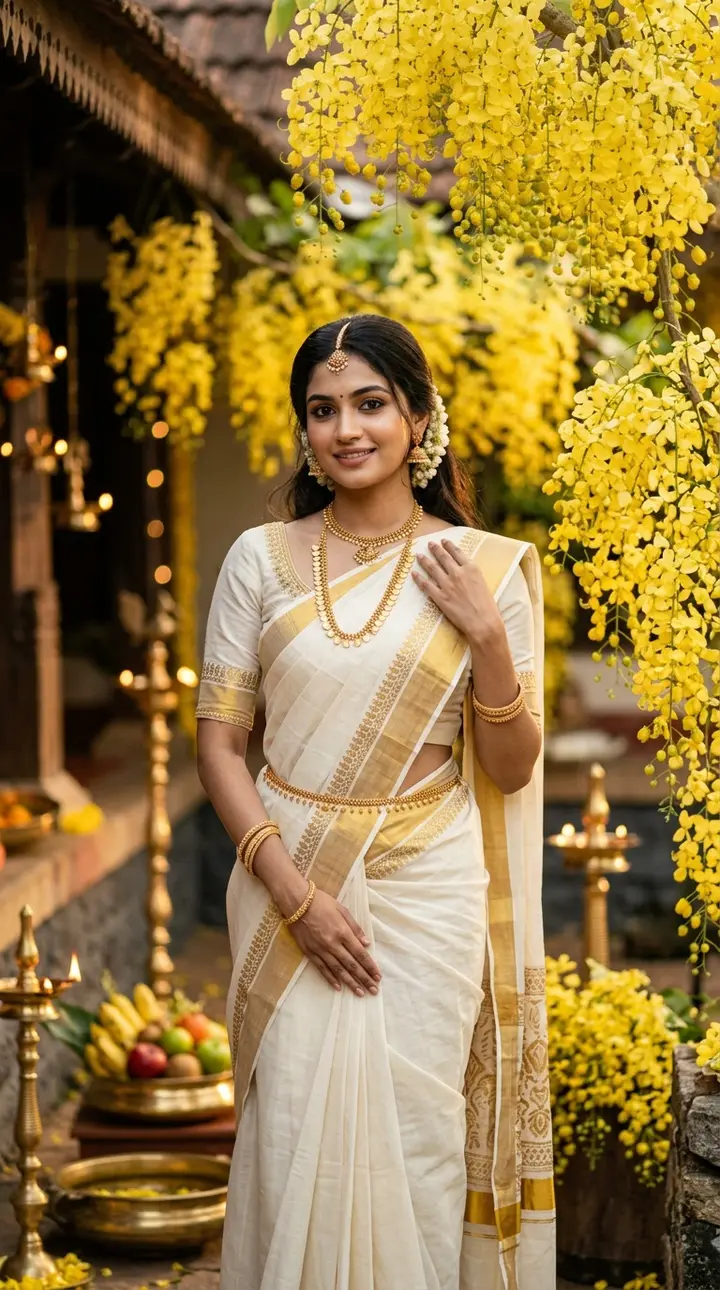
A cinematic Kerala Vishu festival portrait of a beautiful young woman, wearing an elegant traditional white and gold Kasavu saree, adorned with delicate gold jewelry, surrounded by blooming golden Kanikonna flowers. soft warm morning sunlight, serene smile, graceful pose, rich fe…
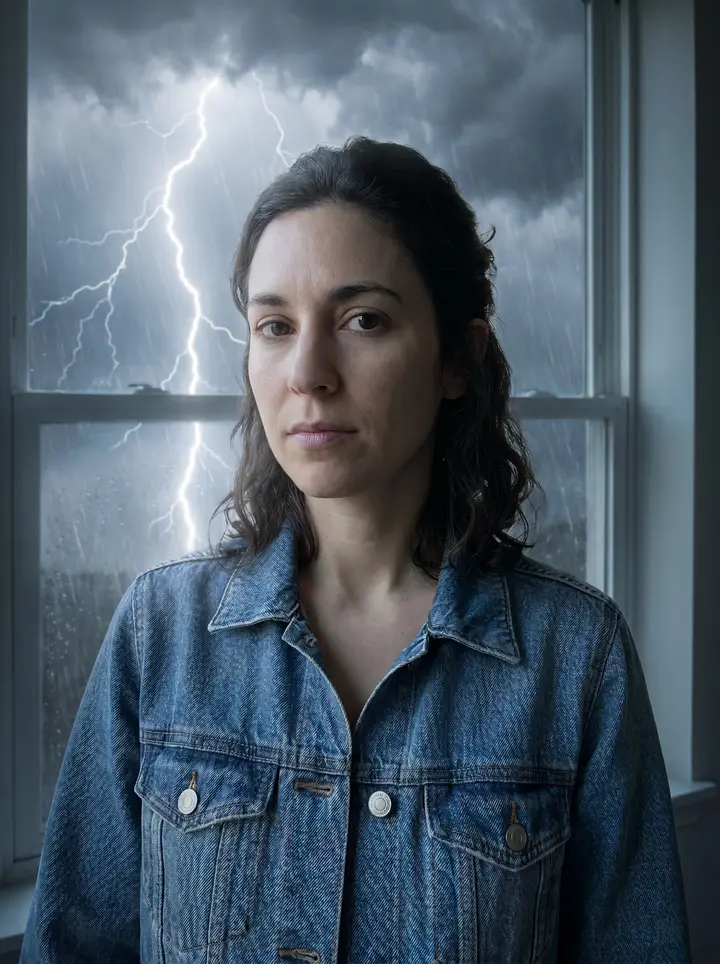
Use the uploaded landscape photo as the base and transform the sky into a dramatic thunderstorm with one bright, realistic lightning bolt descending from dense storm clouds. Preserve the terrain and horizon, add soft rain haze, cool blue-gray grading, natural light bloom, wet atm…
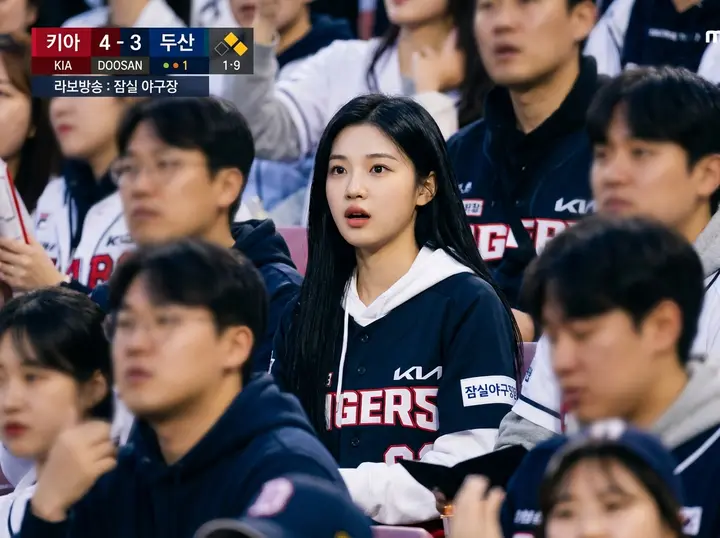
Realistic sports broadcast screenshot-style documentary photo set in the spectator stands of a Korean professional baseball game. Analyze the attached face. The person sits naturally among the crowd, wearing a KBO team jersey, slightly surprised but focused while watching the fie…
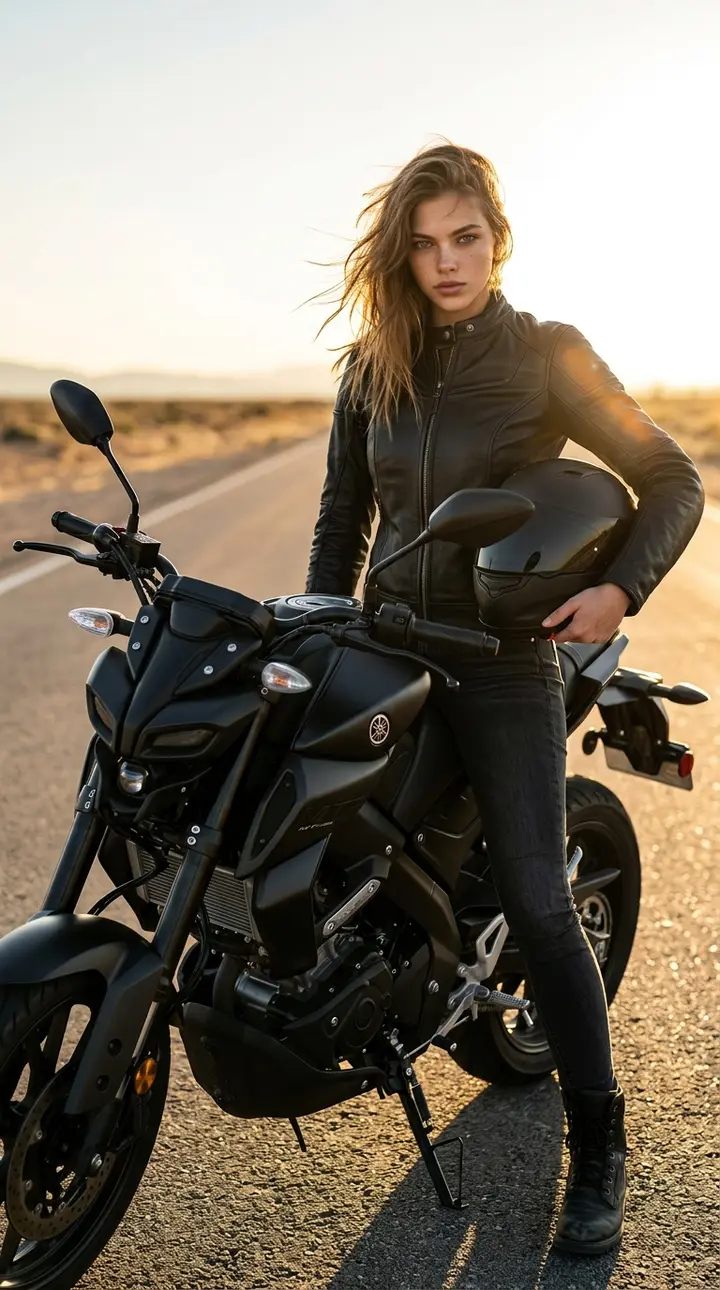
Cinematic high-fashion editorial photo. Ultra-realistic portrait of the woman from the reference image, preserving her exact face shape and all facial features. She is standing next to a sleek matte-black Yamaha MT-15 motorcycle pulled over on the side of a vast desert highway at…
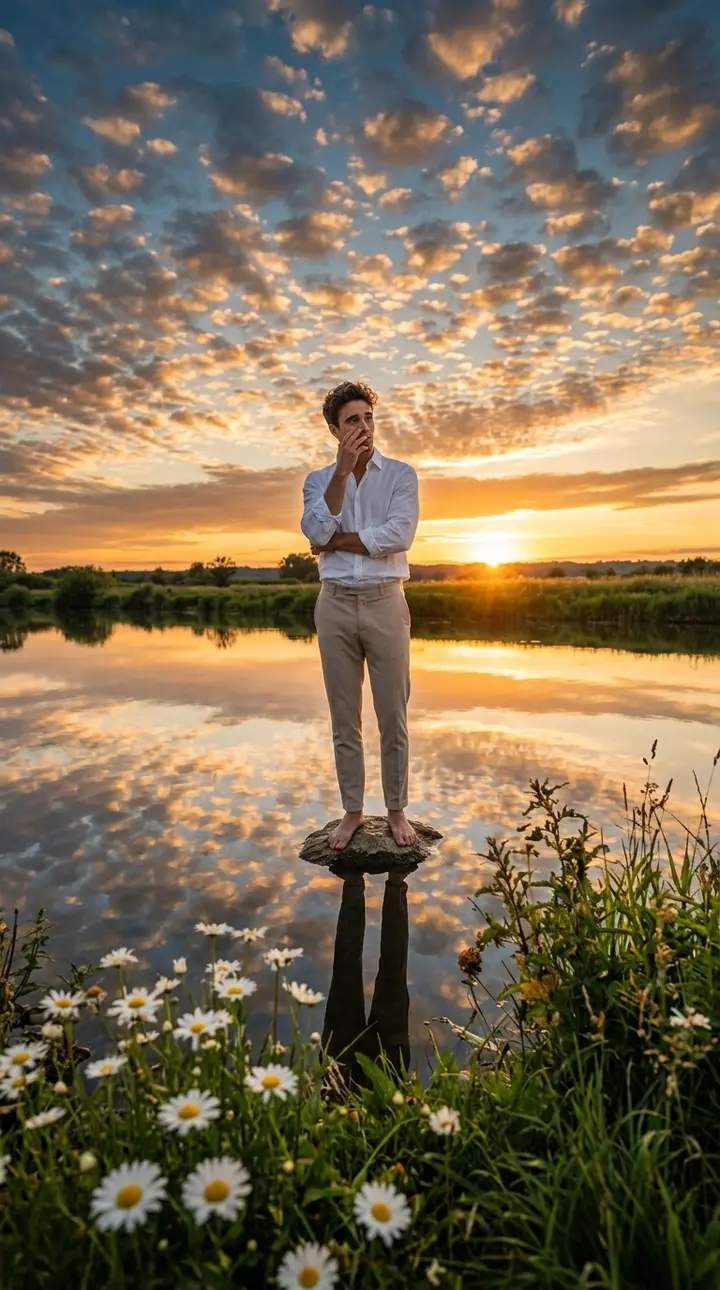
Use the uploaded image as an exact identity reference, maintaining the subject’s facial features, hairstyle, beard, skin tone, body proportions, and natural appearance entirely unchanged. Create an ultra-realistic DSLR sunset portrait: a handsome young man stands barefoot on a sm…
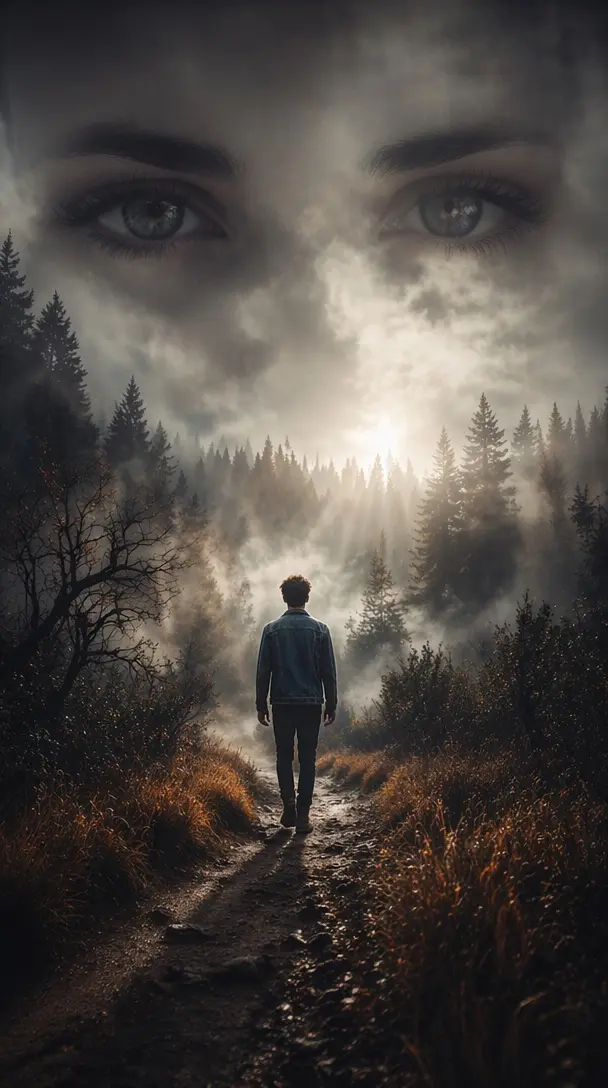
Turn the uploaded image into a mysterious forest scene. Massive female eyes appear through dense fog above a dark woodland landscape. The subject walks alone on a forest path while sunlight breaks through clouds. Moody atmosphere, cinematic realism, volumetric lighting, dramatic…
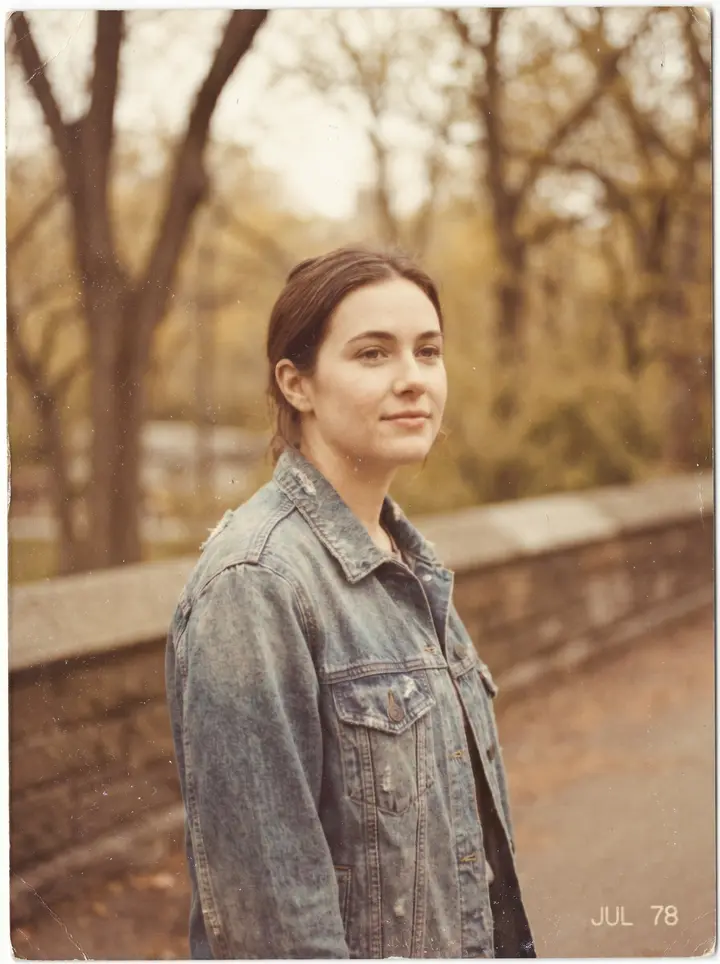
Use the uploaded image as the subject and convert it into a retro road trip photo with muted highlights, dusty grain, warm vintage tones, soft focus, subtle color fading, candid snapshot composition, and the laid-back analog charm of a printed Kodak vacation memory.
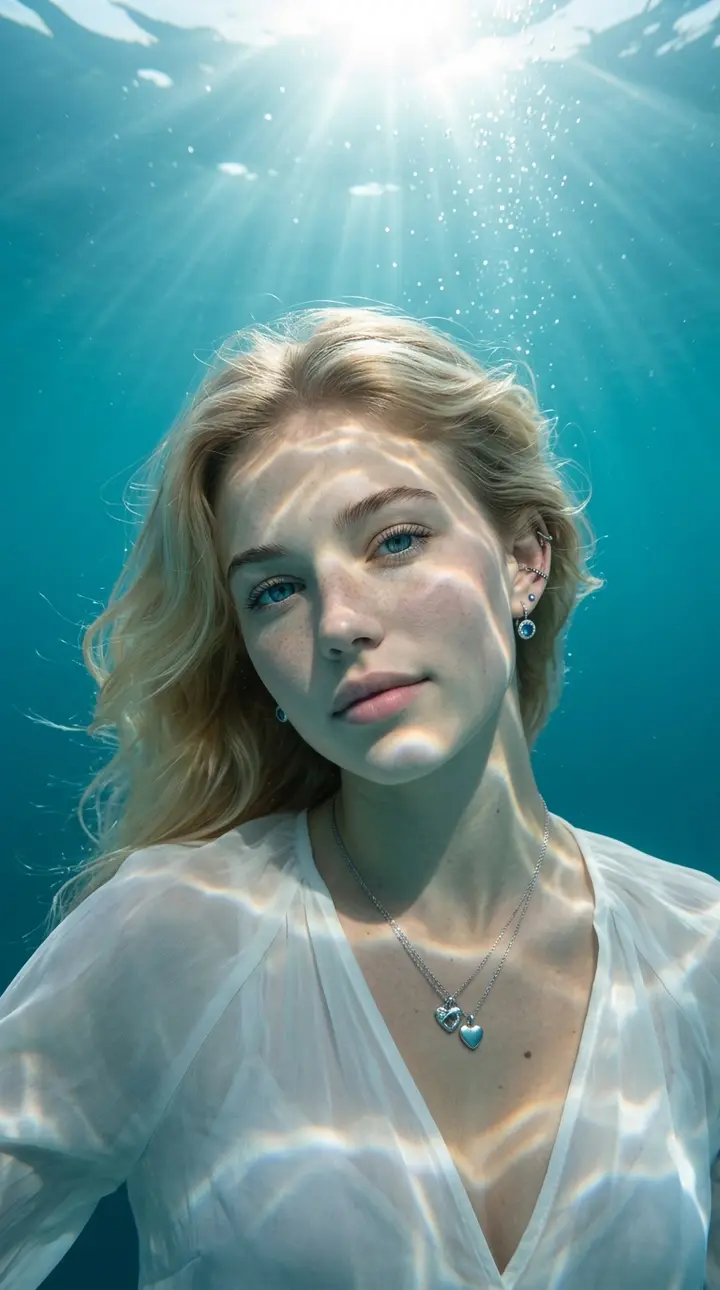
A high-definition, professional underwater photograph of a young woman submerged in crystal-clear, deep teal-blue ocean water, captured in a portrait orientation (like a phone wallpaper). The subject is positioned centrally, viewed from a close-up angle, with a slight, graceful h…
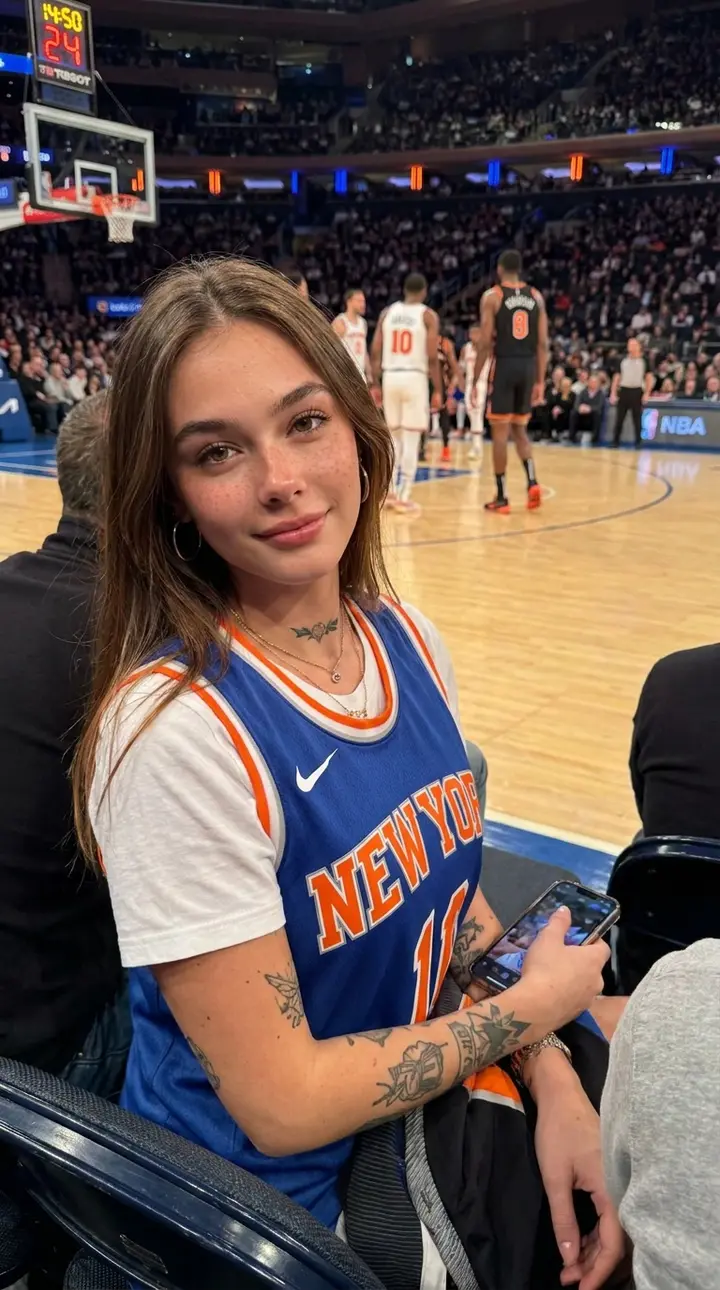
Create an ultra-realistic NBA courtside photo using the reference person. Preserve their facial identity, hairstyle, and natural expression. Place them sitting in front-row courtside seats at a packed basketball arena, close to the court with players slightly blurred in the backg…
About
What is Vikas Editor?
Vikas Editor is an AI photo editor built for the viral "Vikas edit" look: cinematic, festive and stylish edits made from your own photo with one prompt. Upload a photo, pick a template or describe the change, and the top image model returns an HD result that keeps your face and turns everything else into a scene worth posting. No photo at hand? Switch to text to image and create the scene from a prompt alone.
Powered by GPT Image 2.5
Every edit runs on GPT Image 2.5, one of the strongest image models available today. It follows long prompts closely, renders light and skin naturally and changes only what you ask for.
Your face stays your face
Vikas Editor is tuned for portraits. The subject stays recognizable while the background, outfit, light and color grade change, so the result still looks like you.
326+ preset Vikas edit templates
Portrait and fashion shoots, couple edits, festivals, cinematic looks, anime and more, each with a real example. Click a template and its prompt and sample photo load into the editor, ready to swap in your own picture.
HD images, no watermark on paid plans
Plans and credit packs download clean, full-resolution images with no watermark. Free images carry a small Vikas Editor logo in the corner. The aspect ratio is matched to your photo automatically, so portraits stay portrait and landscapes stay wide.
Image to image or text to image
Edit your own photo by default, or switch to text to image and create a brand new picture from a prompt alone. Same model, same price, same HD quality.
Ready for social and the web
Results come as web-optimized files that load fast on Instagram, WhatsApp status, YouTube thumbnails and your own site, with SEO-friendly file names on download.
How it works
How to make a Vikas edit in 4 steps
- 01
Upload a photo
Drop one to 4 JPG, PNG or WebP photos. A clear face or subject gives the best Vikas edit.
- 02
Pick a template or write a prompt
Click any idea to load its prompt, or describe the edit in plain English: scene, light, outfit, mood.
- 03
Generate
Press Generate. Each image costs 2 credits and is usually ready in 20 to 60 seconds.
- 04
Download in HD
Save the HD result, or keep editing it. Paid images have no watermark. Every edit is saved privately in your History.
Specs
Input, output and price at a glance
- Modes
- Image to image (default): edit your own photo. Text to image: create a new picture from a prompt only.
- Input
- Image to image: 1 to 4 photos (JPG, PNG or WebP, up to 15 MB each) plus a prompt or a preset template. Text to image: a prompt only.
- Output
- One HD edited image per run, aspect ratio matched automatically. No watermark with a plan or credit pack; free images carry a small logo.
- Price
- 2 credits per image. Your first image is free after sign up, then as low as $0.07 per image.
- Model
- GPT Image 2.5, a top-tier image generation and editing model.
- Speed
- Usually 20 to 60 seconds per image.
- Privacy
- Uploads and results are private to your account. Delete any edit from History at any time.
Pricing
As low as $0.07 per image
One image costs 2 credits. Start free, then pick a yearly or monthly plan, or buy a one-time credit pack.
Credit packs
Pay once, no subscription. Pack credits never expire and are used after subscription credits.
How credits work
- 2 credits = 1 HD image
- Image to image or text to image, every generation costs the same. No watermark and commercial use with any plan or pack; free images carry a small logo.
- 1 free image after sign up
- Create your first Vikas edit without a credit card.
- Plans refill every month
- Yearly plans are billed once a year and still get their credits month by month. Unused plan credits expire at the end of each month.
- Credit packs never expire
- One-time packs from $9.90. Pack credits are used after plan credits.
- Failed edits are refunded
- If an edit fails or is blocked by the safety filter, its credits go straight back to your balance.
- Cancel anytime
- Cancel or switch plans from your billing page. Upgrades apply right away, downgrades and cancellations at the end of the period. Prices in USD, local currency at checkout.
FAQ
Vikas Editor questions, answered
Make your first Vikas edit free
Sign up and get one HD image on us. No design skills, no app to install.
Open Vikas Editor